QBO Built for QuickBooks Online

Get paid faster from QuickBooks Online.

A branded customer payment portal with one-click pay links, multi-invoice payments and recurring billing — on your own domain, with the payment gateway you already use.

Free Starter planTwo-way QBO syncKeep your gateway
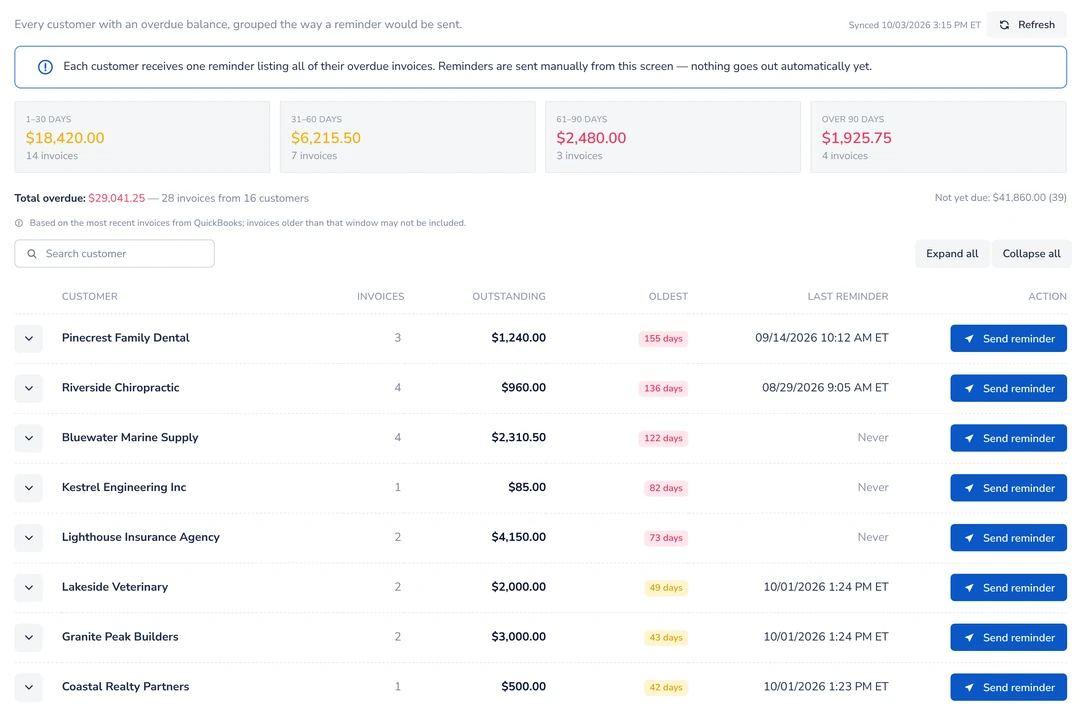
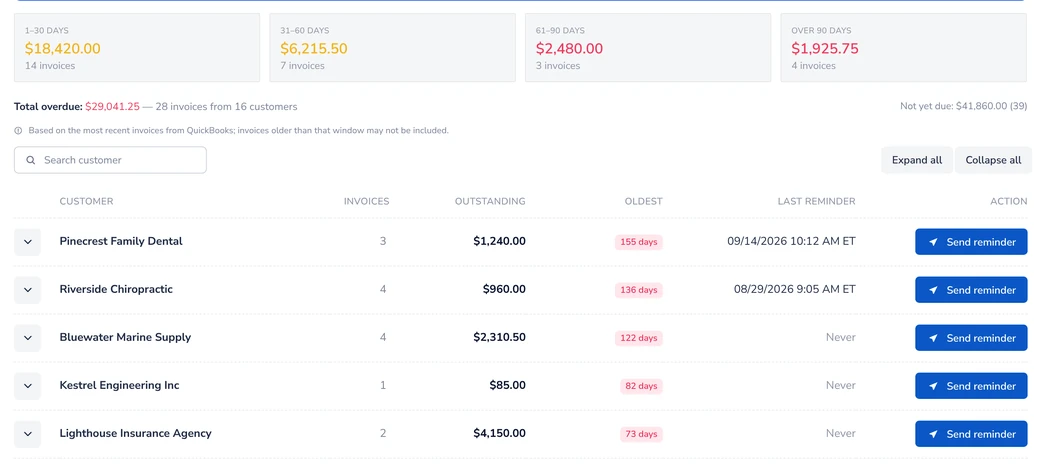
app.kwiqli.com/invoice-reminders
Kwiqli Invoice Reminders screen showing overdue customers grouped by aging bucket with Send reminder buttons
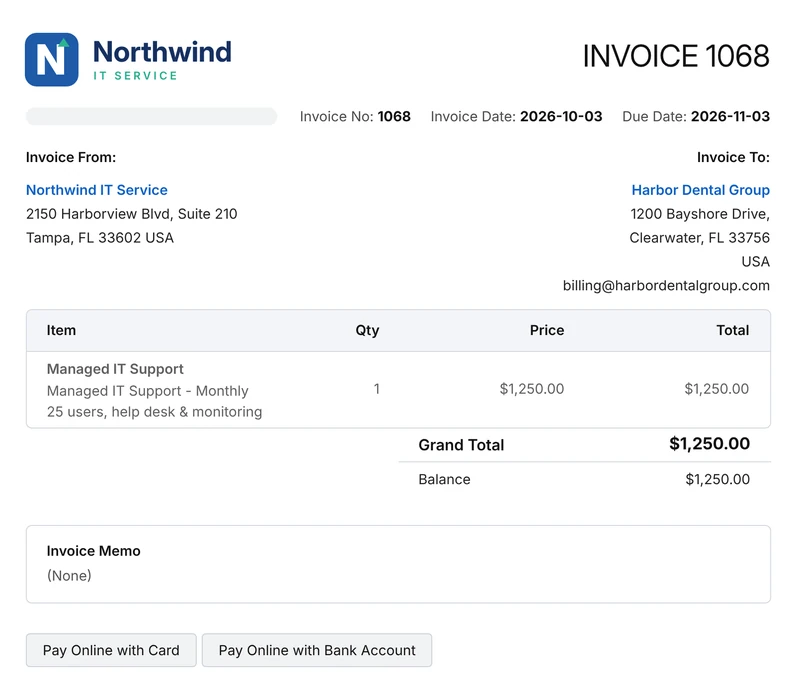
pay.northwinditservice.com
Branded customer invoice from Northwind IT Service with Pay Online with Card and Bank Account buttons
Payment posted to QuickBooksAuto-sync, no double entry

Trusted by teams that bill on QuickBooks Online

Telzino TeamMate iReply
How it works

Live in three steps

Kwiqli sits on top of QuickBooks Online, so your invoices, customers and payments stay in one place.

1

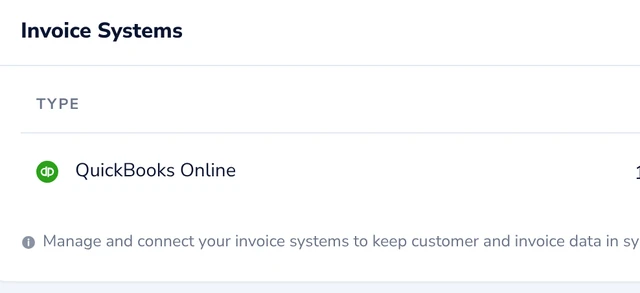
Connect QuickBooks Online

Two-way sync brings over your customers and invoices, and posts payments back automatically.

Invoice Systems: QuickBooks Online connected
2

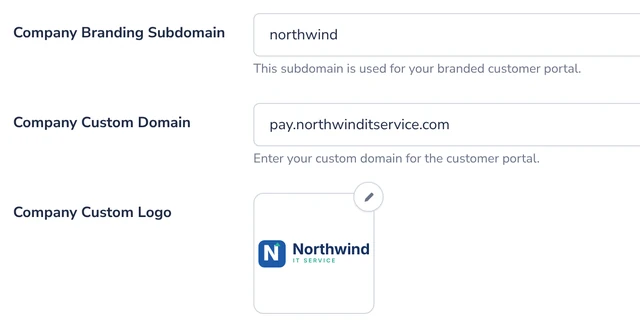
Brand your portal

Set your branded subdomain or custom domain and upload your logo. Keep your current gateway or use ours.

Company Settings: branding subdomain, custom portal domain and custom logo
3

Send pay links

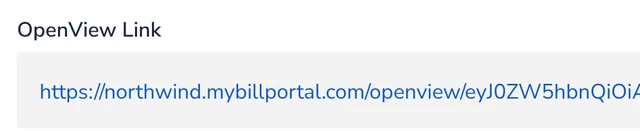
Email customers a secure link that logs them straight into the portal, where they can pay one invoice or many at once.

Auto-login OpenView pay link on the northwind.mybillportal.com portal
Customer portal

Your customers see your brand, not ours

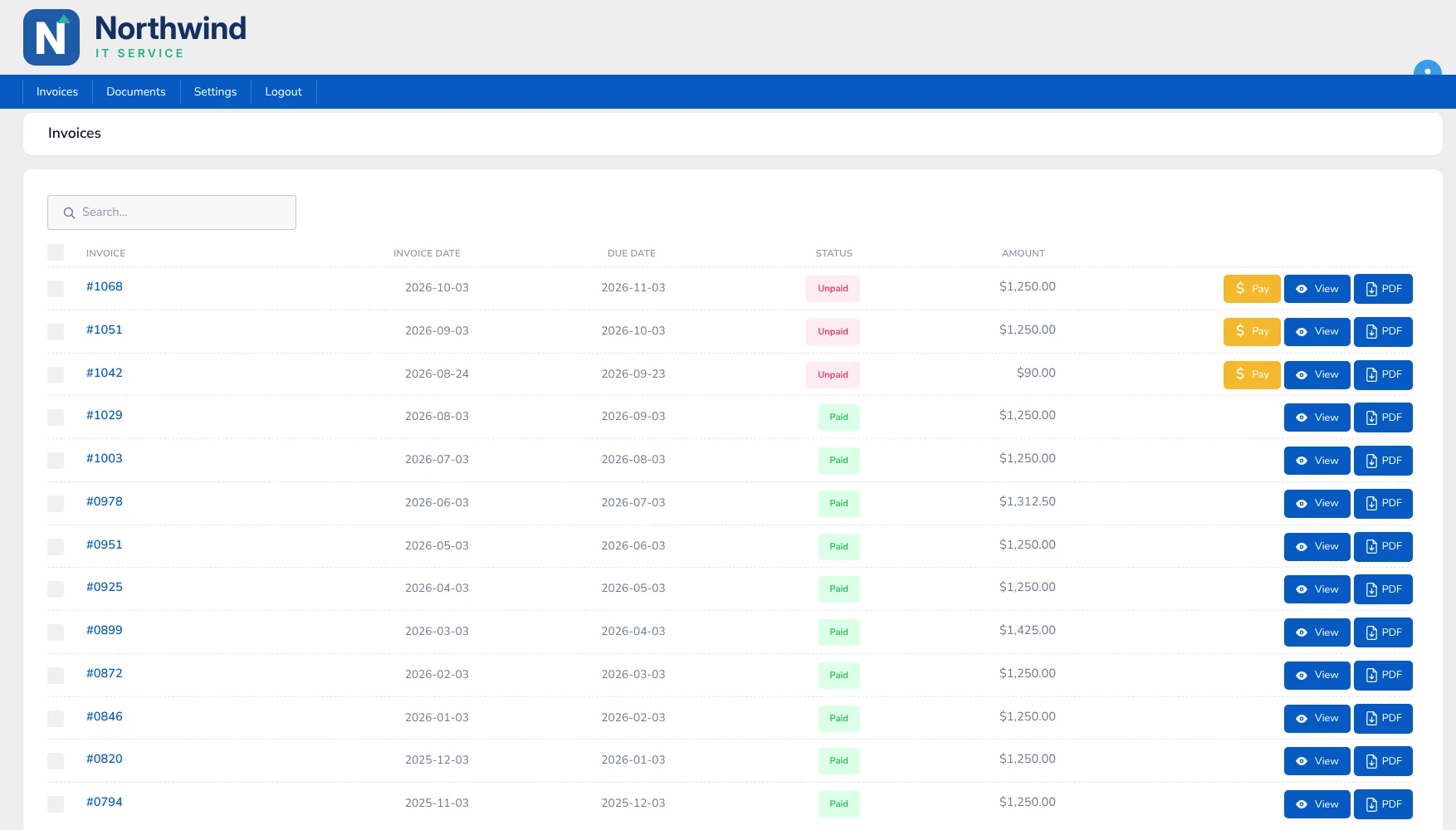
Customers sign in to a portal on your own domain, with your logo, and pay what they owe from one screen.

Explore the customer portal →

pay.northwinditservice.com/portal/invoices
Northwind IT Service customer portal on its own domain, listing invoices with Paid and Unpaid status and Pay, View and PDF buttons

Your domain, your logo

The portal lives at an address like pay.yourcompany.com and carries your logo, so customers never see a third-party name.

Pay one invoice or many

Customers select several open invoices and pay them in a single payment, or pay just one.

Everything in one place

Paid and unpaid invoices are listed together, and any invoice can be opened or downloaded as a PDF.

Product

Everything you need to collect payments, branded for you

Get paid faster

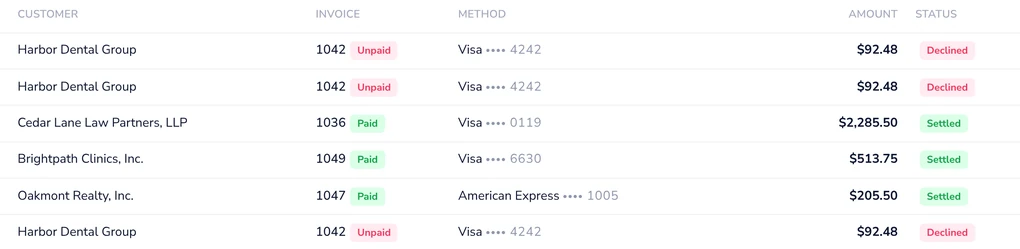
Payment Transactions: month-to-date card payments with status

Take the friction out of paying you.

  • View and Understand — See transaction activity at a glance
  • Multi-invoice payments — settle several invoices in a single payment.
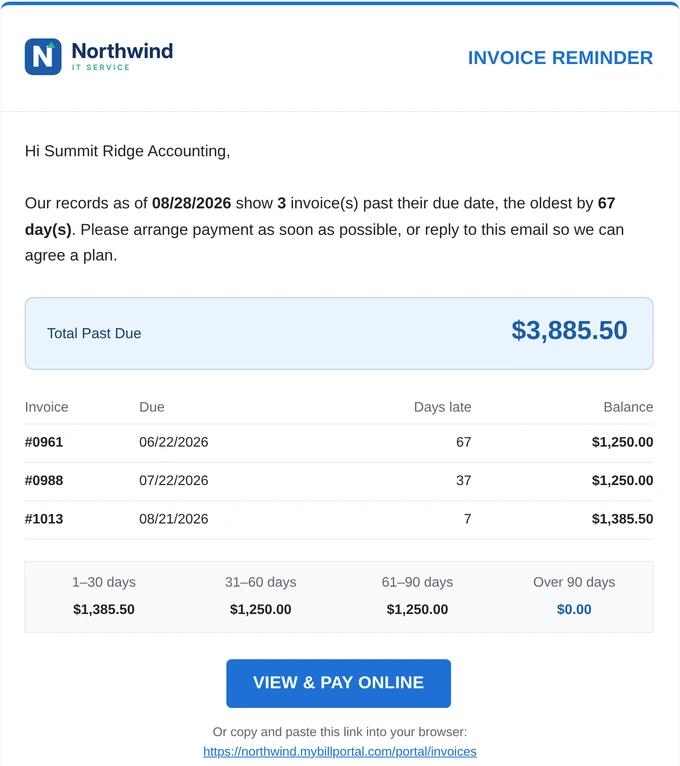
  • One-click invoice reminders — one branded email per customer listing everything overdue.

Automate your billing

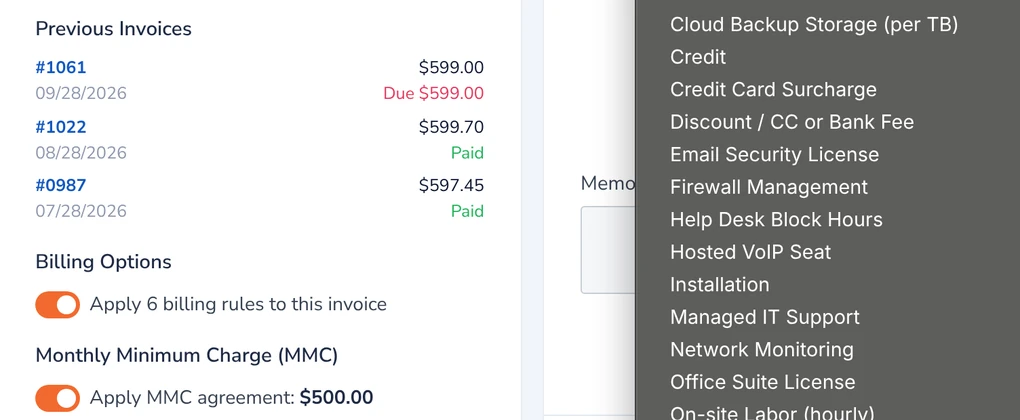
Invoice Editor with product list, billing rules and monthly minimum charge

Set the rules once and let invoices run themselves.

  • Recurring billing — invoices generate automatically on the billing date.
  • Subscription management — handle scheduled and ongoing charges.
  • Volume and tiered pricing — set different rates by volume or tier.
Explore recurring billing →

Your brand, your gateway

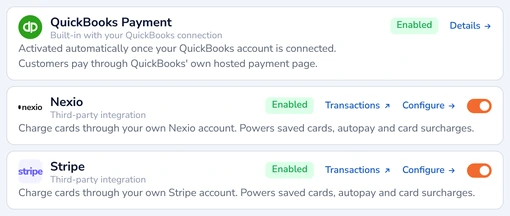
Payment processors: QuickBooks Payment, Nexio and Stripe enabled

A portal that looks like you, with the payment processing you choose.

  • White-label branding — custom domain, logo, colors, email templates and branded invoices.
  • Payment gateway flexibility — connect Stripe, Nexio or QuickBooks Payments, and keep the gateway you already use.
  • Customer self-service — customers view invoice history, credits and receipts.

In sync and secure

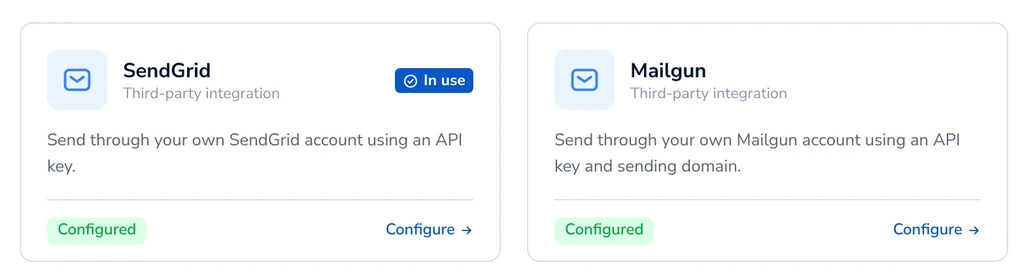
Email settings with SendGrid, Mailgun, SMTP2GO and AWS SES providers

Your books stay accurate, card data stays protected, and email goes out through the provider you choose.

  • Two-way QuickBooks Online sync — customer and invoice sync with automatic payment posting.
  • Card data stays on the gateway — payment details are tokenized, not stored in Kwiqli.
  • Encrypted and screened — TLS/SSL encryption and fraud screening.
Invoice reminders

One reminder per customer. Everything they owe. One click to send.

Kwiqli groups every overdue invoice by customer, so each customer gets a single branded email instead of a pile of separate notices.

Explore invoice reminders →
  • Consolidated by customerEach reminder lists all of that customer's overdue invoices, with days late and balance.
  • Aging at a glanceSee overdue totals in 1–30, 31–60, 61–90 and 90+ day buckets, plus when each customer was last reminded.
  • One-click sendYou choose who gets a reminder and send it from the Invoice Reminders screen.
  • Branded email with a pay linkYour logo, total past due, an aging summary and a “View & Pay Online” button to your portal.
Invoice Reminders screen grouped by customer
Branded overdue reminder email from Northwind IT Service with aging buckets and View & Pay Online button
Solutions

Built for businesses that bill on QuickBooks Online

Compare

Weighing GoToMyAccounts or EBizCharge?

Most QuickBooks Online payment portals make you choose between your own brand, your own gateway and recurring billing. Kwiqli gives you all three. See how the alternatives stack up, feature by feature.

  • One overdue reminder per customer, with aging
  • Recurring billing
  • Volume and tiered pricing
  • Optional credit card surcharge
  • Free Starter plan
Pricing

Simple pricing that grows with you

Start free, then upgrade when you need your own domain and gateway.

Starter

Try Kwiqli with a few customers.

Free
  • 1 user
  • 15 customers
  • 15 invoices per month
  • QuickBooks Payments
Start free
Custom domain included

Growth

For small teams ready to brand their portal.

$49.95/ month
  • 3 users
  • 50 customers
  • 100 invoices per month
  • Custom portal domain
  • Stripe, Nexio or QuickBooks Payments
Start Free Account

Pro

For higher volume and larger teams.

$149.95/ month
  • 10 users (+$8 per additional)
  • 150 customers (+$1 per additional)
  • 300 invoices (+$0.25 per additional)
  • Custom portal domain
  • Stripe, Nexio or QuickBooks Payments
Start Free Account
Supported payment gatewaysStripeNexioQuickBooks Payments
Customers

What customers say

“Our customers used to dig through emails to find invoices. Now they get one branded reminder with everything they owe and pay it in a click. Collections went from chasing to clicking.”
Hajee AquinoPresident, iReply
“Kwiqli plugs straight into QuickBooks and looks like it's ours. Customers pay on our own domain, payments are processed with our Stripe account, and payments land back in QuickBooks without anyone touching them.”
Eric HernaezFounder, Telzino
“Auto-login pay links changed everything for our billing team. No passwords and no portal signups. Customers open the link, see their invoices and pay.”
Belle TanjusayBilling Specialist, TeamMate
FAQ

Questions, answered

What is Kwiqli?

Kwiqli is a cloud billing, invoicing and payment portal for businesses that use QuickBooks Online. From one dashboard you create invoices, set billing rules, manage products and customers, assign payment gateways and track payments, while your customers get a branded portal to view invoices, manage payment accounts and pay.

Do I need a new payment gateway?

No. You can keep your current gateway or use ours. The free Starter plan uses QuickBooks Payments; Growth and Pro work with any supported payment gateway: Stripe, Nexio or QuickBooks Payments.

How does the QuickBooks Online sync work?

Kwiqli connects to QuickBooks Online with a two-way sync. Customers and invoices sync automatically, and payments are posted back to QuickBooks, so there's no double entry.

Is Kwiqli secure for handling payments?

Credit card details stay on the payment gateway rather than in Kwiqli. Payment data is tokenized and sent over TLS/SSL encrypted connections, with fraud screening to help block suspicious transactions.

Can Kwiqli handle recurring billing?

Yes. Recurring invoices are generated automatically on the billing date, and you can manage subscriptions. Overdue reminders are sent with one click from the Invoice Reminders screen.

Can I use my own branding?

Yes. Add your logo, colors, email templates and branded invoices. A custom portal domain is included on the Growth and Pro plans.

Is there a free plan?

Yes. Starter is free for 1 user, 15 customers and 15 invoices per month. Growth is $49.95/month and Pro is $149.95/month.
Give customers a better way to pay you.

Connect QuickBooks Online, brand your portal and send your first pay link today.