Customer portal

A branded customer payment portal for QuickBooks Online.

Your customers sign in to a portal on your own domain, with your logo, and pay what they owe from one screen. They never see a third-party name.

Free Starter planTwo-way QBO syncKeep your gateway
pay.northwinditservice.com/portal/invoices
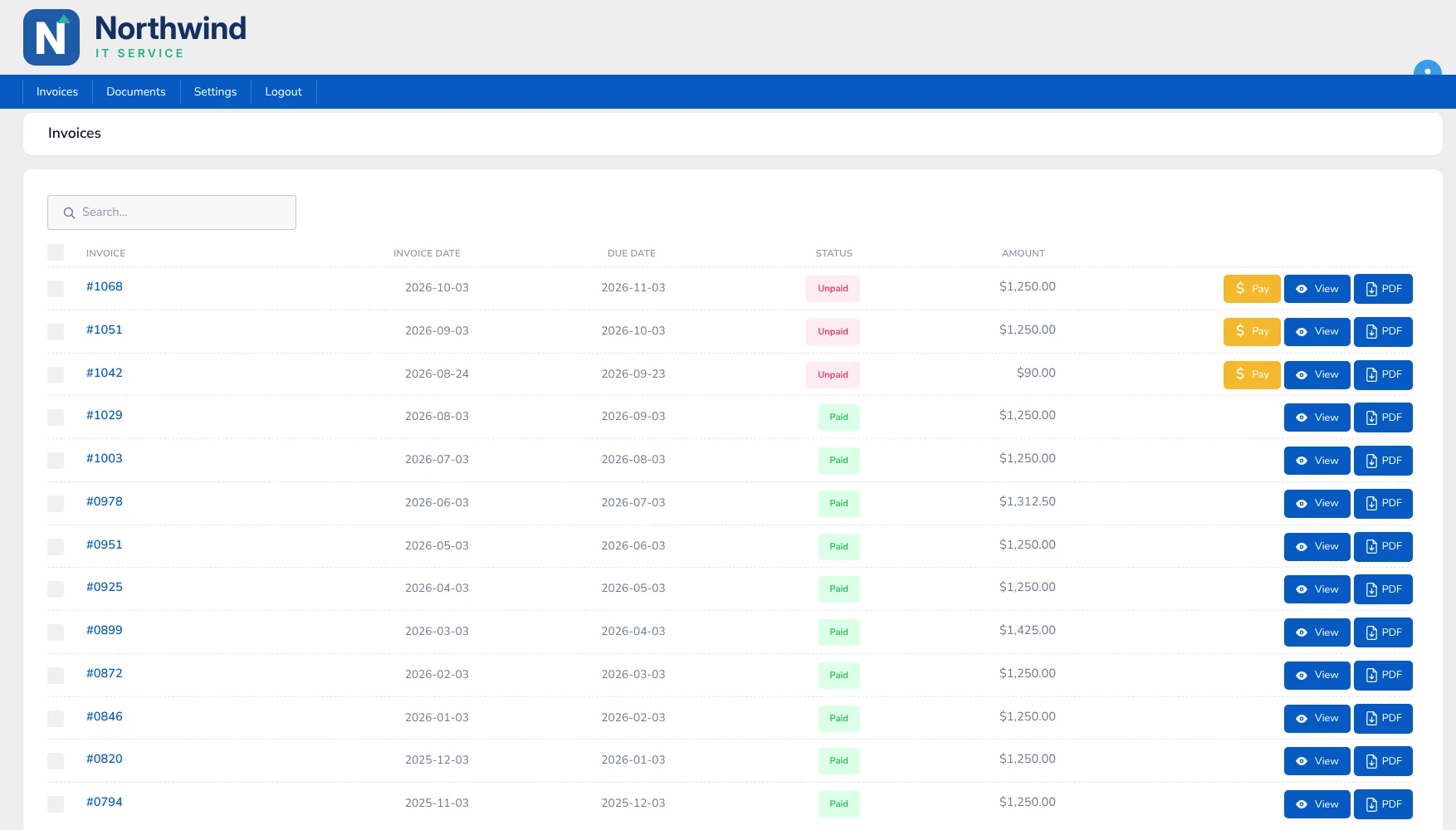
Northwind IT Service customer portal on its own domain, listing invoices with Paid and Unpaid status and Pay, View and PDF buttons
Your brand

Looks like you, from the web address to the invoice

Set up your branding once and every customer touchpoint carries it.

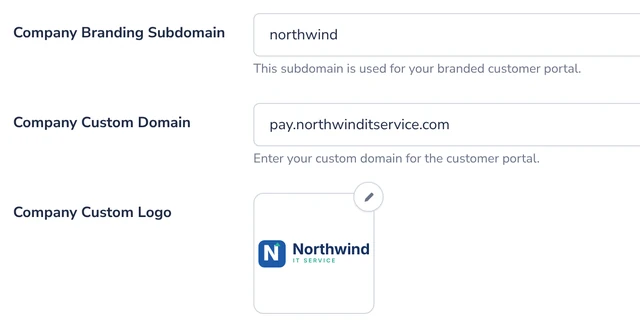
  • Your own domainThe portal lives at an address like pay.yourcompany.com. A custom portal domain is included on the Growth and Pro plans.
  • Your logo, colors and templatesAdd your logo and colors, and brand your email templates and invoices.
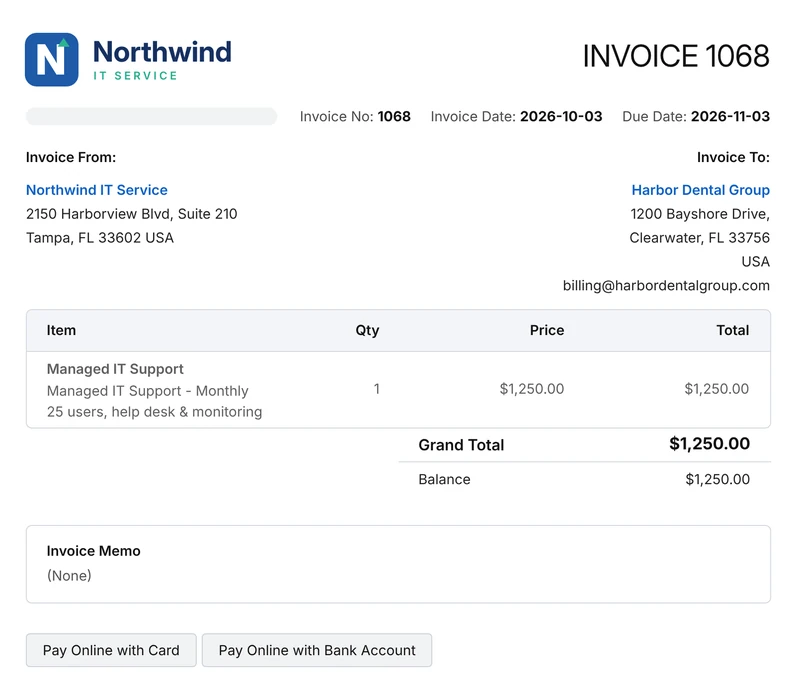
  • Branded invoicesCustomers open a clean invoice from your company with Pay Online with Card and Bank Account buttons.
app.kwiqli.com
Company Settings: branding subdomain, custom portal domain and custom logo
Paying

Pay in a click, with no passwords

Customers get to their invoices straight from email and settle up fast.

  • Auto-login pay linksCustomers open the link, see their invoices and pay, with no passwords and no portal signups.
  • Pay one invoice or manySelect several open invoices and pay them in a single payment, or pay just one.
  • Everything in one placePaid and unpaid invoices are listed together, and any invoice can be opened or downloaded as a PDF.
  • Self-service historyCustomers can view invoice history, credits and receipts without calling you.
pay.northwinditservice.com
Branded customer invoice from Northwind IT Service with Pay Online with Card and Bank Account buttons
Your gateway

Keep the payment processing you already use

Branding the portal does not mean changing how you get paid.

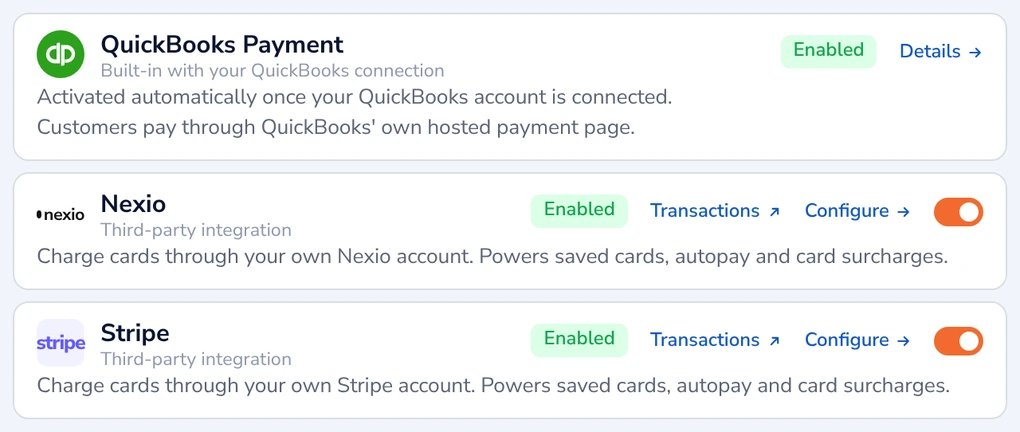
  • Stripe, Nexio or QuickBooks PaymentsConnect the gateway you already use. The free Starter plan uses QuickBooks Payments; Growth and Pro work with any supported gateway.
  • Card data stays on the gatewayPayment details are tokenized and sent over TLS/SSL encrypted connections, not stored in Kwiqli.
  • Posted back to QuickBooksPayments sync to QuickBooks Online automatically, so there is no double entry.
app.kwiqli.com
Payment processors: QuickBooks Payment, Nexio and Stripe enabled
How it works

Branded, simple and self-service

1. Brand your portal

Add your logo and colors and choose your portal address.

2. Send a pay link

Customers get an auto-login link by email, with no passwords to remember.

3. Get paid and synced

Customers pay one or many invoices and the payment lands back in QuickBooks.

FAQ

Common questions

Can I use my own domain for the portal?

Yes. A custom portal domain is included on the Growth and Pro plans.

Do customers need to create a password?

No. Auto-login pay links take customers straight to their invoices, with no passwords and no portal signups.

Can customers pay several invoices at once?

Yes. Customers can select several open invoices and pay them in a single payment, or pay just one.

Which payment gateways work with the portal?

Stripe, Nexio and QuickBooks Payments. You can keep the gateway you already use.

Is card data stored in Kwiqli?

No. Credit card details stay on the payment gateway. Payment data is tokenized and sent over encrypted connections.
More from Kwiqli

Explore more features

Give customers a better way to pay you.

Connect QuickBooks Online, brand your portal and send your first pay link today.