Invoice reminders

QuickBooks Online invoice reminders that get paid.

Kwiqli groups every overdue invoice by customer, so each customer gets one branded email with everything they owe and a link to pay — sent in one click.

Free Starter planTwo-way QBO syncKeep your gateway
app.kwiqli.com/invoice-reminders
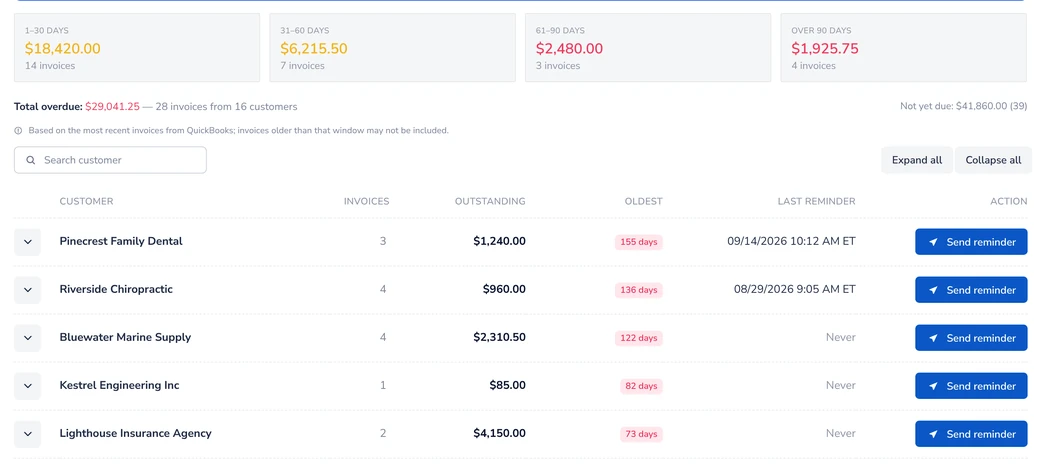
Kwiqli Invoice Reminders screen showing overdue customers grouped by aging bucket with Send reminder buttons
Collections made simple

See who is overdue, and how overdue

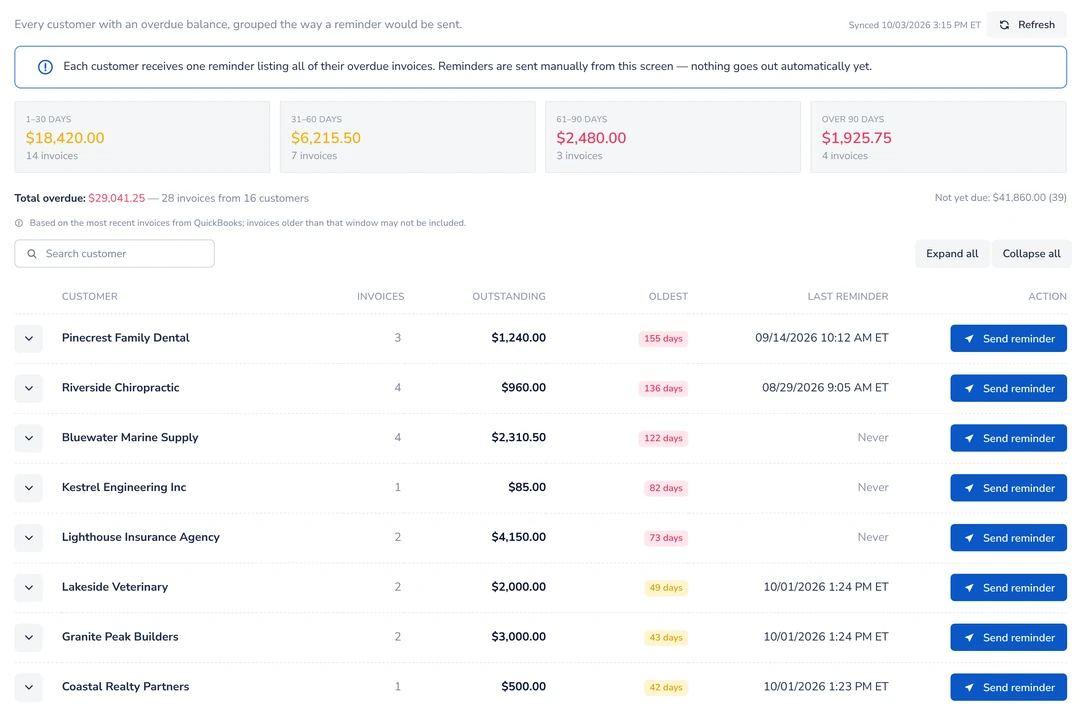
Open the Invoice Reminders screen and every past-due customer is already grouped and totaled for you.

  • Consolidated by customerEach reminder lists all of that customer’s overdue invoices, with days late and balance.
  • Aging at a glanceSee overdue totals in 1–30, 31–60, 61–90 and 90+ day buckets, plus when each customer was last reminded.
  • You choose who gets oneSelect the customers you want to remind and send from the same screen.
app.kwiqli.com/invoice-reminders
Invoice Reminders screen grouped by customer with aging buckets
The reminder email

A reminder customers can act on right away

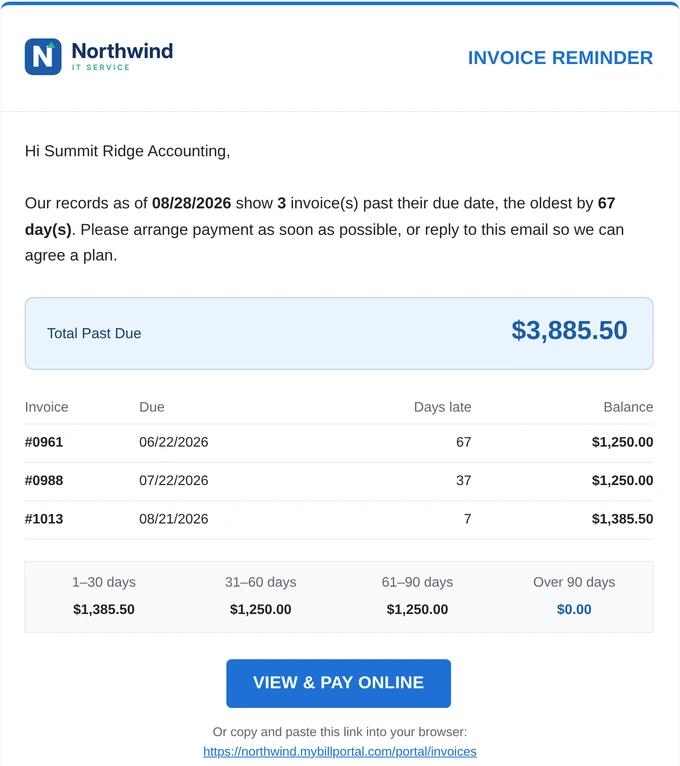
Instead of a pile of separate notices, customers get one clear email in your brand.

  • Your logo and your lookThe email carries your branding, not a third party’s.
  • Total past due and an aging summaryCustomers see exactly what is owed and how late each portion is.
  • “View & Pay Online” buttonOne click takes them to your branded customer portal, where they can pay one invoice or several at once.
  • Your own email providerSend through your own SendGrid or Mailgun account so reminders come from your sending domain.
Branded overdue reminder email from Northwind IT Service with aging buckets and View & Pay Online button
How it works

From overdue to paid in three steps

1. Connect QuickBooks Online

Customers and invoices sync automatically with a two-way connection.

2. Review overdue by customer

Invoices are grouped by customer and sorted into aging buckets.

3. Send in one click

Each selected customer gets one branded email with a pay link. Payments post back to QuickBooks.

FAQ

Common questions

Does Kwiqli send one email per invoice?

No. Kwiqli sends one reminder per customer that lists all of that customer’s overdue invoices, with days late and balance.

Can I choose which customers get a reminder?

Yes. You choose who gets a reminder and send it from the Invoice Reminders screen.

Can customers pay straight from the reminder?

Yes. The email includes a “View & Pay Online” button that opens your branded customer portal.

Whose brand is on the reminder?

Yours. The email uses your logo and branding, and you can send through your own SendGrid or Mailgun account.

Do payments update QuickBooks Online?

Yes. Kwiqli uses a two-way QuickBooks Online sync, so payments are posted back to QuickBooks with no double entry.
More from Kwiqli

Explore more features

Give customers a better way to pay you.

Connect QuickBooks Online, brand your portal and send your first pay link today.