Recurring billing

Recurring billing for QuickBooks Online, on autopilot.

Set the billing rules once and let invoices generate themselves. Manage subscriptions, price by volume or tier, and get paid through your own gateway.

Free Starter planTwo-way QBO syncKeep your gateway
app.kwiqli.com
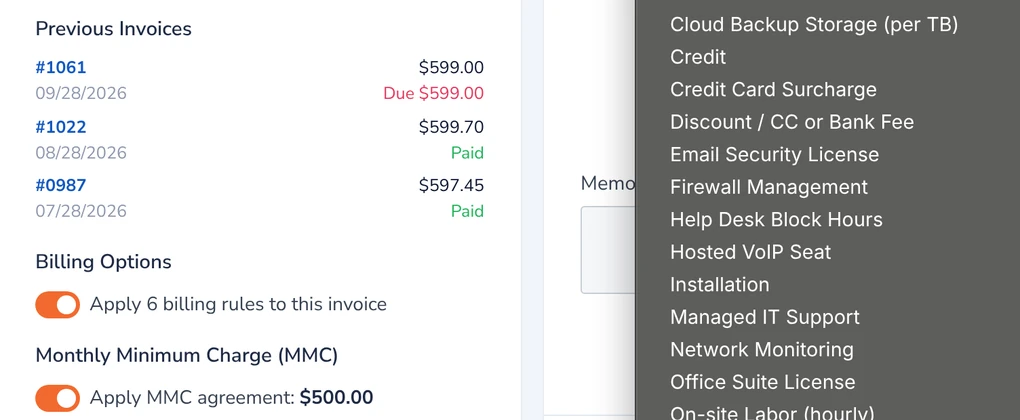
Kwiqli invoice editor showing billing options and the product and service list
Automatic invoicing

Invoices that generate themselves

Stop rebuilding the same invoice every month.

  • Recurring invoicesInvoices generate automatically on the billing date.
  • Subscription managementHandle scheduled and ongoing charges from one dashboard.
  • Volume and tiered pricingSet different rates by volume or tier.
  • Billing rules per invoiceApply billing rules, including a monthly minimum charge, to each invoice.
app.kwiqli.com
Kwiqli invoice editor showing billing options and the product and service list
Getting paid

Collect automatically, reconcile automatically

Recurring invoices only help if they turn into payments you do not have to chase.

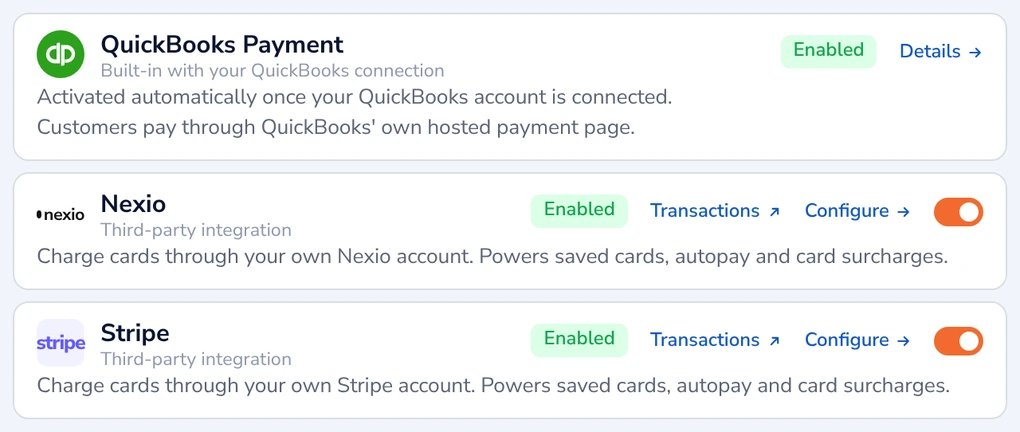
  • Saved cards and autopayCharge cards through your own Stripe or Nexio account, with saved cards, autopay and card surcharges.
  • Reminders for what is lateOverdue invoices roll into one branded reminder per customer, sent in one click.
  • Two-way QuickBooks Online syncCustomers and invoices sync automatically, and payments are posted back to QuickBooks.
app.kwiqli.com
Payment processors: QuickBooks Payment, Nexio and Stripe enabled
How it works

Set it up once, then let it run

1. Connect QuickBooks Online

Sync your customers, products and invoices.

2. Set the billing rules

Choose the schedule, pricing and billing options for each customer.

3. Let it run

Invoices generate on the billing date, customers pay through the portal and payments post back to QuickBooks.

FAQ

Common questions

Can Kwiqli create invoices automatically?

Yes. Recurring invoices are generated automatically on the billing date, and you can manage subscriptions.

Does it support volume or tiered pricing?

Yes. You can set different rates by volume or tier.

How do customers pay recurring invoices?

Through your branded customer portal using your own gateway: Stripe, Nexio or QuickBooks Payments.

Do payments update QuickBooks Online?

Yes. Payments are posted back to QuickBooks through a two-way sync, so there is no double entry.

How do I chase overdue recurring invoices?

Overdue reminders are sent with one click from the Invoice Reminders screen, one branded email per customer.
More from Kwiqli

Explore more features

Give customers a better way to pay you.

Connect QuickBooks Online, brand your portal and send your first pay link today.